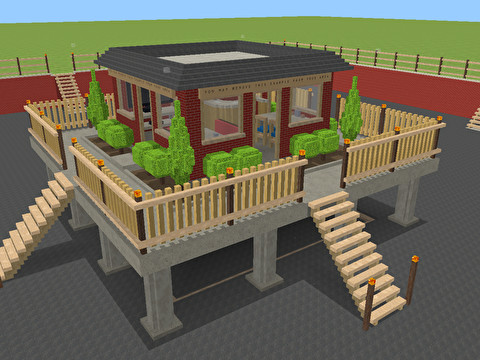
 Multiplayer Map Editor is a voxel-based building game, inspired by Minecraft "classic," but designed to improve upon the "simple building game" concept rather than simply create a free clone of Minecraft.
We designed Multiplayer Map Editor to address numerous issues we had when playing Minecraft Classic:
- Most of the blocks in Minecraft Classic aren't that useful for building most things. We wanted a game where each server was able to provide its own block textures to the client so that every server operator could offer a unique experience to their visitors.
- It's too difficult for players to interact with the server in Minecraft Classic. We wanted a game where servers are able to create proper menus so that players can simply click buttons rather than type commands. We also wanted to remove server messages from the chat display as it is too easy for players to overlook important information in the always-active chat area.
- Minecraft Classic's chat font is nearly unreadable. To address this issue, Multiplayer Map Editor uses a full-resolution font with a proper shadow, which means that you can easily read chat without having to look at a dark color. Also, the maximum length of chat messages in Minecraft Classic is insufficient for complete sentences, so we designed Multiplayer Map Editor to allow longer chat messages.
- The block size in Minecraft Classic is too large and the textures are not drawn to the same scale as the block size. Multiplayer Map Editor allows servers to choose what size the blocks are and also allows them to specify the proper scale of textures so that, for example, the bricks textured to the side of your brick block are actually the size of real bricks.
- Because the blocks are smaller in Multiplayer Map Editor, you need to use the "cuboid" command frequently, and so we made it incredibly easy. All you do is click and drag to form a cuboid, then release the mouse button. You'll never have to type "/cuboid" again!